So, I’ve decided to pause these devlogs. I started this weekly journal with two purposes: partly to promote Eldritch 2, but mostly to hold myself accountable to make some progress each week. The latter hasn’t been working. I’ve been procrastinating on this game for months, and making excuses here each week. And it is becoming a burden. So I’m letting it go.
I’m not canceling the game, I’m not pausing development, and I’m certainly not pivoting to making a different game. Eldritch 2 is still the game I want to make. But Eldritch 2 is and always has been a side project, something I’ve done for fun in my free time, because I wanted to. And as my free time has dwindled in the past year, it has become less fun. I thought I would spend my holiday working on this; and then it felt like a chore, and I got nothing done, and I felt bad about that. And maybe I was the only person who cared that I wasn’t getting anything done. But I don’t need to put that pressure on myself.
There’s probably more I could say about burnout and mental health in the video games industry, but for now, I’ll leave it at this: I started this devlog for my own health, to motivate myself; and I’m pausing it for my own health, to give myself some room to breathe.
Eldritch 2 is coming to Steam! Please wishlist it here.
Happy holidays! I thought I would get a lot of work done on the game this week, but between holiday plans and really just needing some time off, I have done exactly nothing. I’ve got another week of vacation before I go back to work though, so hopefully next week will be more productive.
Eldritch 2 is coming to Steam! Please wishlist it here.
I’m taking today off, so I don’t have any real updates, but I thought I’d write a bit about how I build each dungeon room in Eldritch 2. I’ve got about 30 rooms left to build for Innsmouth, and this is the process for each. On a good day, it takes me maybe 20-30 minutes to concept, build, and test each one.
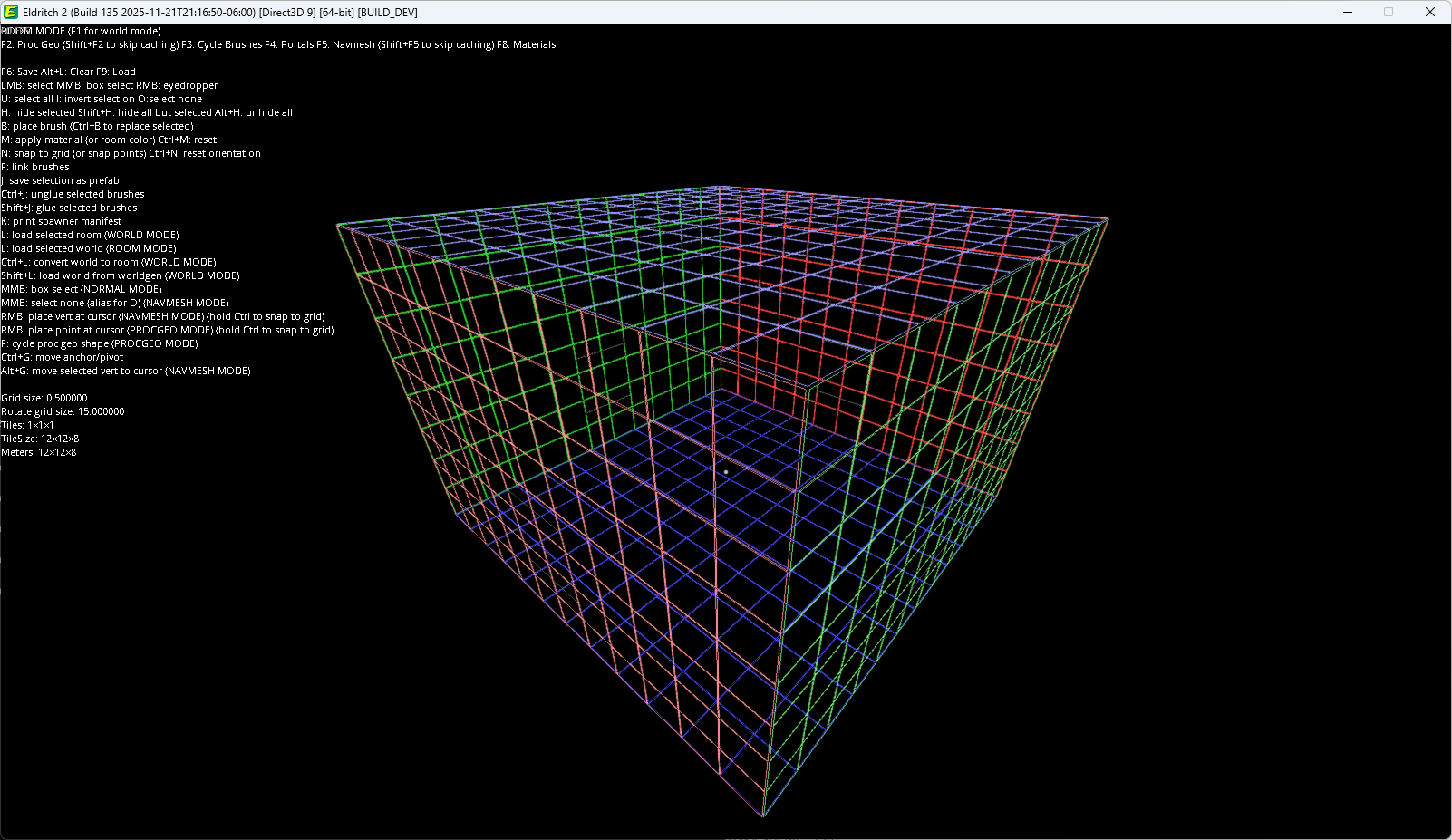
Each room fills a 12m x 12m x 8m space, just like in the original Eldritch. So I load up the in-game editor, plug in those numbers, and see a blank space like this:
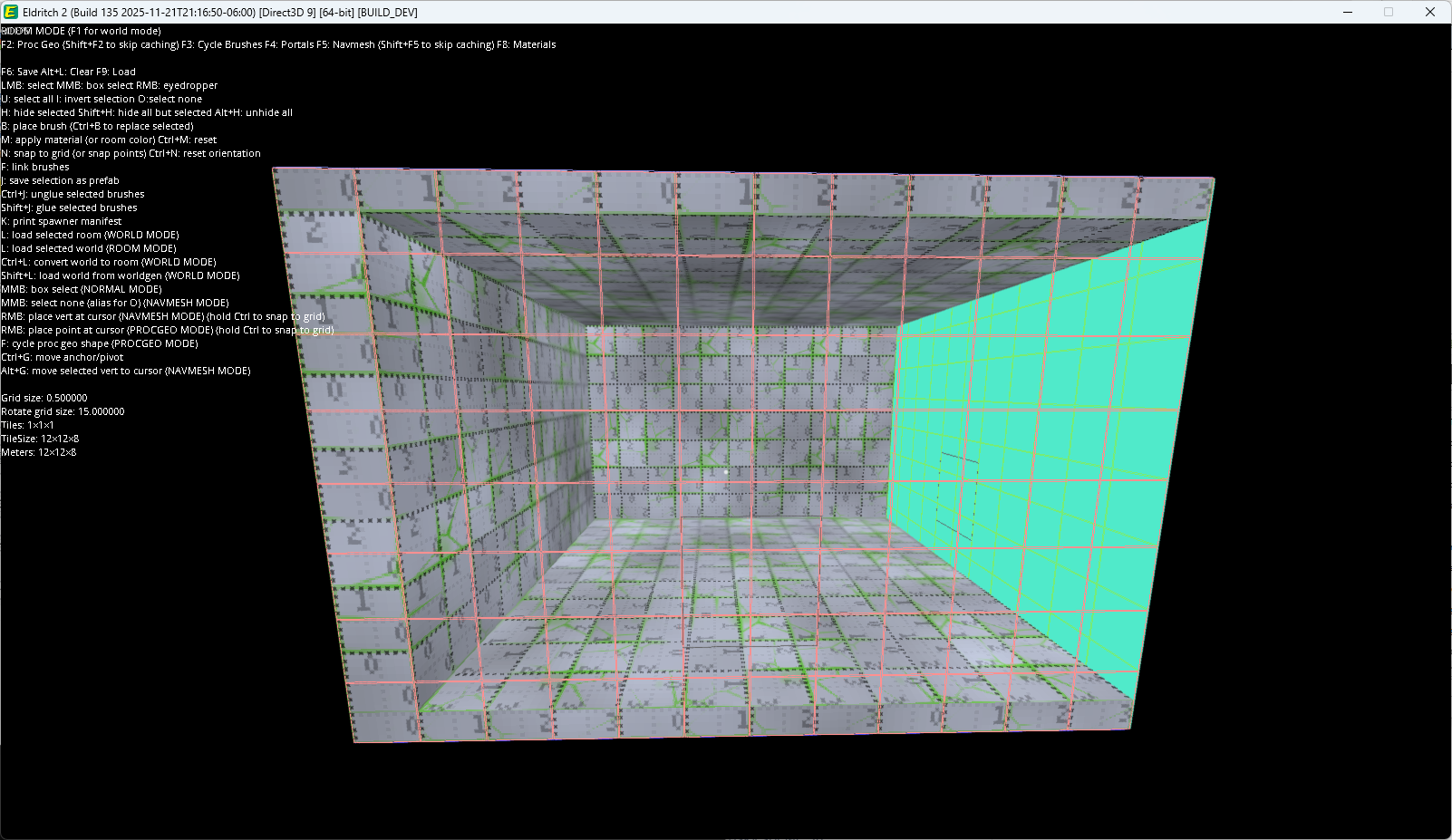
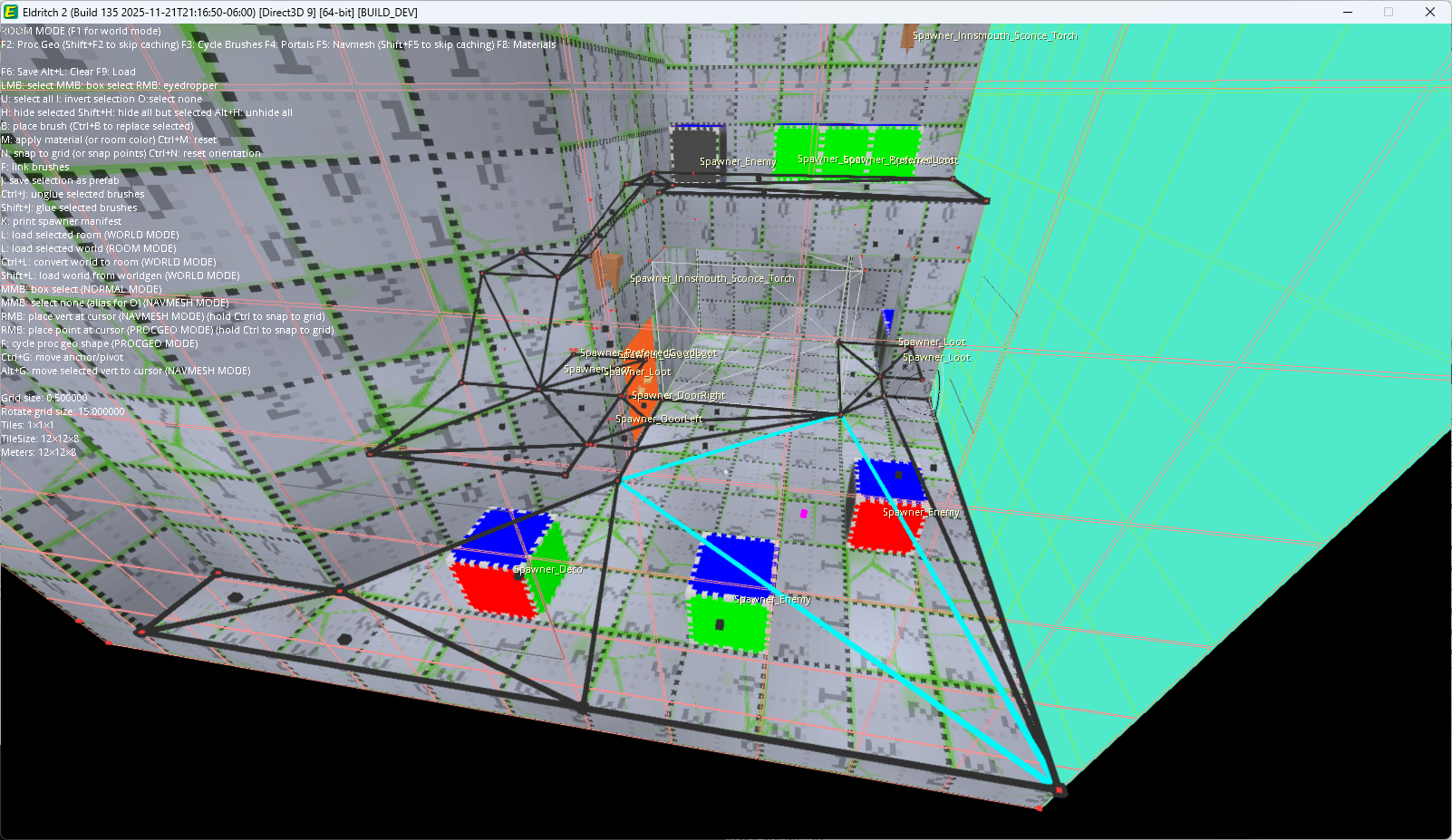
Each room has to fit into the generated dungeon according to its basic shape. In this case, I’m building a room with a “NE” configuration: portals/exits to the north and east. Basically, an L-shaped room. So I’ll tag those sides as portals, and block in the basic geometry of the room.
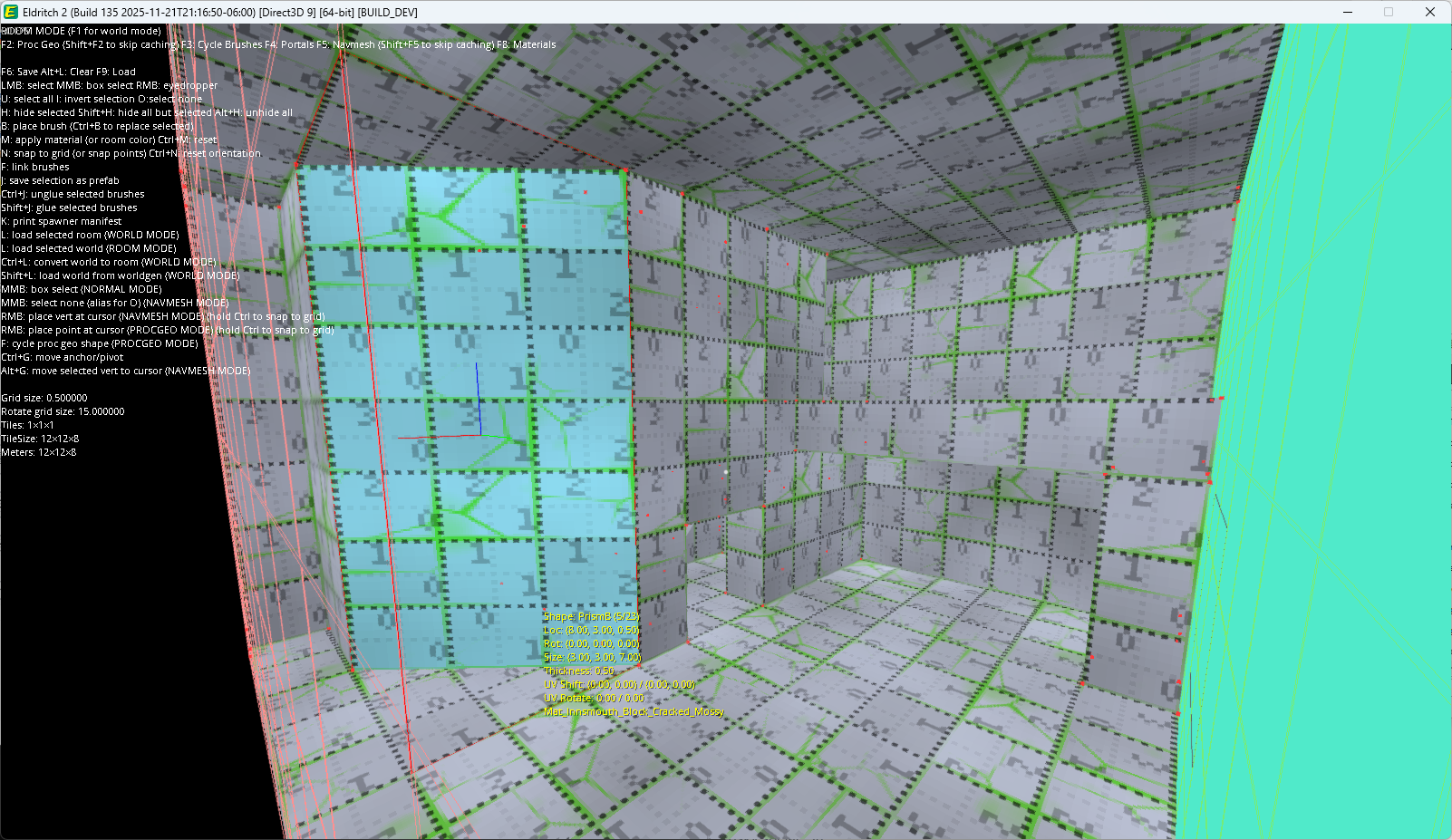
Now comes the fun part: making this an interesting space, distinguishable from any other NE configuration. My basic concept for this room is to have a little interior chamber set into the back corner, where the player might find some good loot. So I block out the geometry, using my editor’s suite of convex primitives:
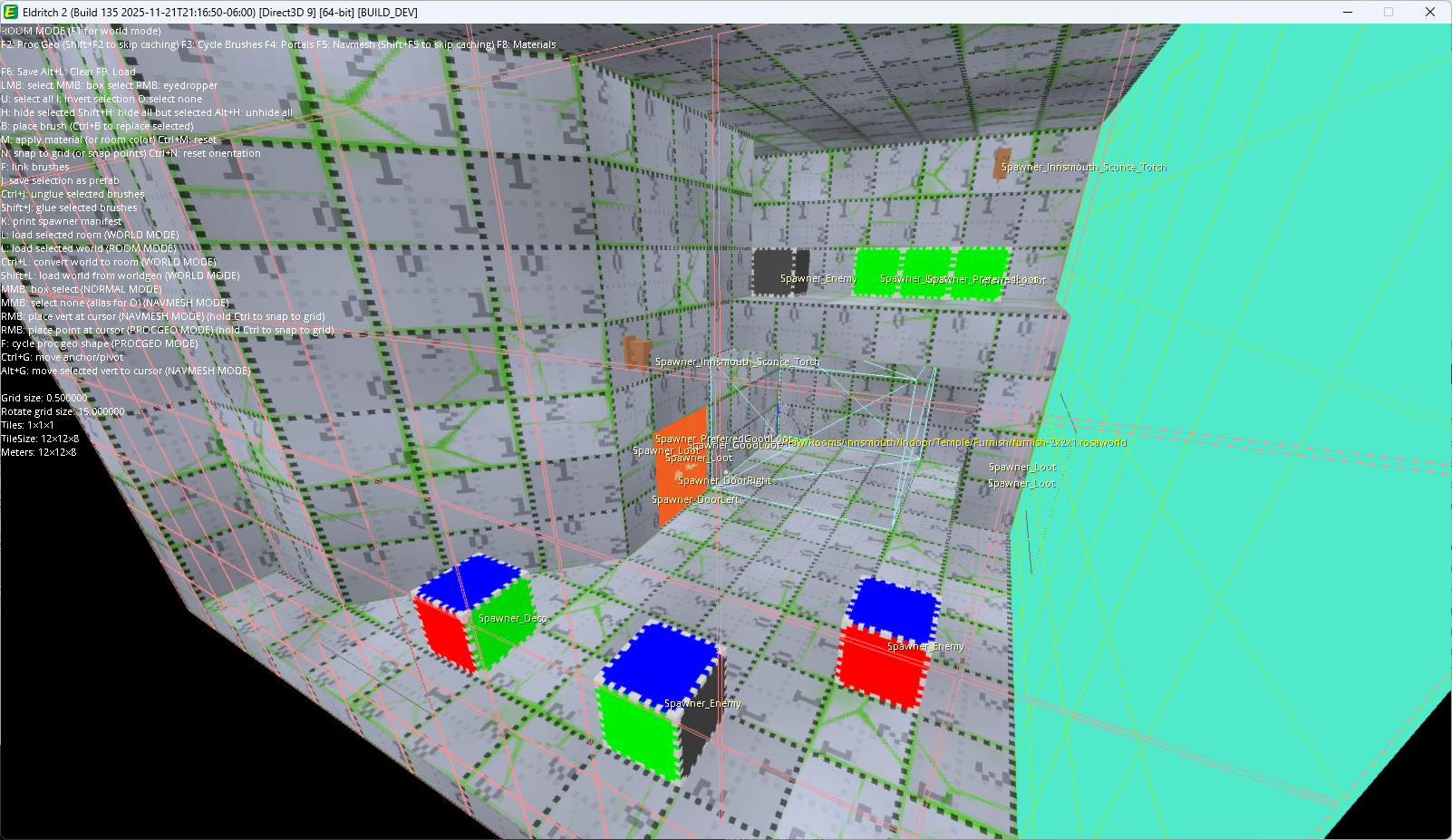
Then I place entity spawners and sublevel generators. Spawners are opportunities for something to be created in the world, and there are rules that determine which ones are actually used in order to manage the overall population and distribution of enemies and loot in each dungeon. So I’ll put some loot spawners and enemy spawners in here, and those might be used when the dungeon is generated, or this room might end up being empty. (Some features like doors or torch sconces are always generated, but are still represented as spawners in the level editor, because they could be managed by other rules.)
There’s a small sublevel generator at the back of this room (the cyan box in the screenshot above). This is some “whitespace” in the room, where random junk can be generated at runtime from even smaller level modules, to provide a little bit of variety when this room is used multiple times in a dungeon.
The last step is to draw the navmesh. I do this by hand, using some custom tools that make it quick and easy to draw triangles between the vertices of the convex geometry. Most modern games generate their navmesh automatically, and that’s probably the best choice in most cases; but the simplicity of the geometry in my games makes it very easy to do by hand, and I enjoy having precise control of the shape of it.
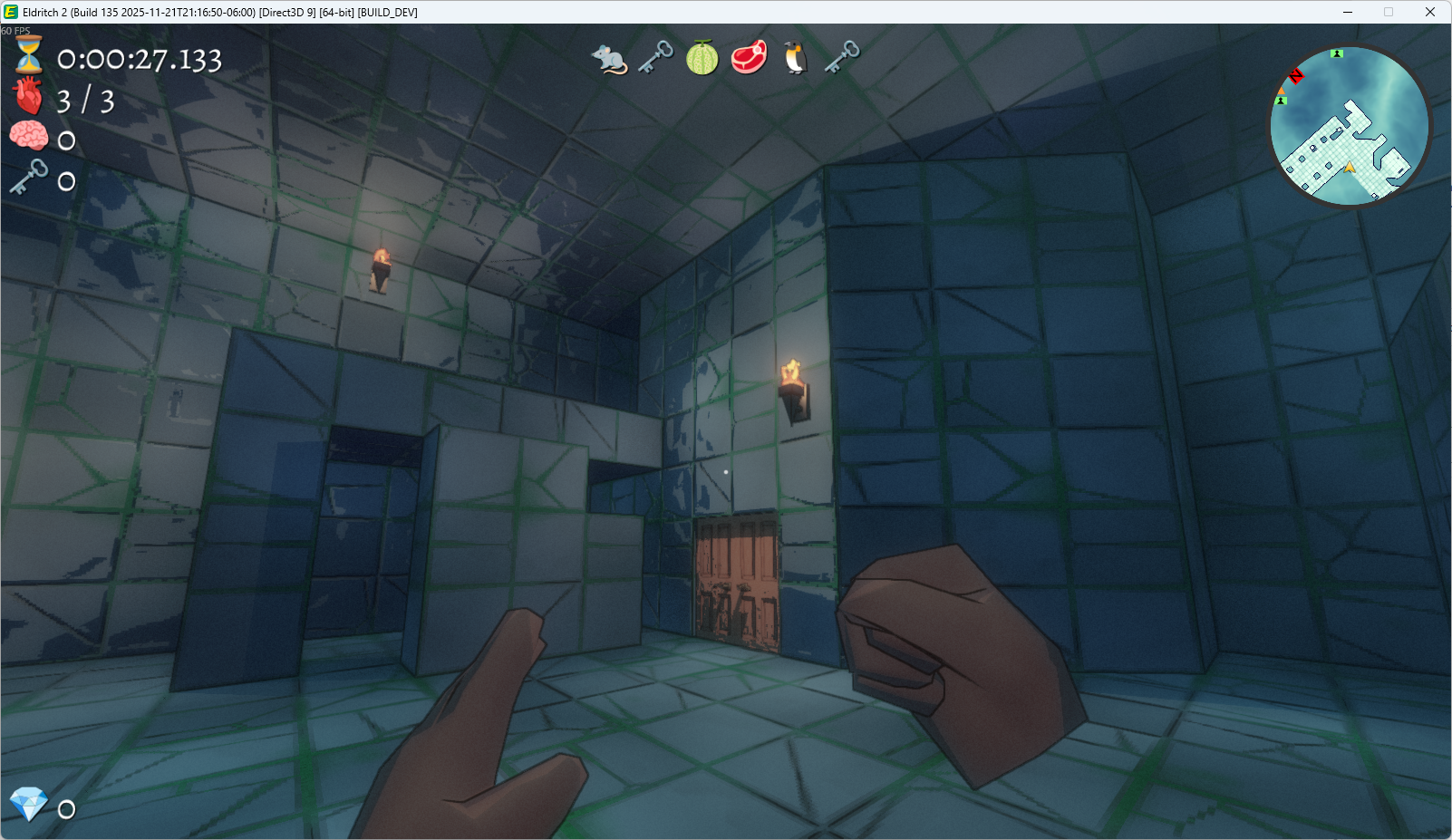
And then I save the room file, add it to the manifest of rooms that the dungeon can use, and generate a new level to test it. In this case, it appeared in its mirrored form! Every room can be mirrored, to provide just a bit more variety. That’s a whole other complicated thing I might write about sometime.
But anyway, that’s the process of making a dungeon room for Eldritch 2. Now I just gotta do that 30 or so more times, and the first dungeon will be finished!
Eldritch 2 is coming to Steam! Please wishlist it here.
Just a brief update, as I’ve been out most of the day and I need a nap. I expect that real life will continue to be disruptive for the next few weeks, but I am going to try real hard to finally wrap up Innsmouth dungeon rooms before the end of the year. I never expected it to take this long, and I may need to scale down some subsequent levels if I’m ever going to get this game done. But I’m committed to at least finishing this level as planned so I can evaluate it properly.
Eldritch 2 is coming to Steam! Please wishlist it here.
I took a little detour this morning and finally tackled one last bit of localization prep that I’d been putting off for a long time: supporting translated names of keyboard keys. Ever since the first version of my input system, way way back in (oh no) 2008, I’ve hard-coded the names of keys. And that’s mostly fine for most of the keyboard, but things like “Left Ctrl” or “Caps Lock” should really be translated.
I had briefly attempted this last year when working on my new localization system, and I can’t remember exactly why I reverted it. I don’t think there were any real blocking issues, it probably just felt like too much tedious work for relatively little value. But it kept itching my brain, so I finally decided to do it. And it was a lot of tedious work, but now it’s done and I’m pretty sure that every single string displayed in the game is now localizable.
I don’t think I ever wrote about it, but about two years ago, I also did some work to decouple virtual keys and scancodes in my keyboard input system, so that non-QWERTY layouts would use the correct key placements, instead of using whatever key corresponds to the equivalently named key on a QWERTY layout. So now, if you’re playing in French with an AZERTY keyboard, the default WASD cluster will be ZQSD, and “Esc” could be rendered as “Échap”.
Of course, this ultimately depends on what languages I can afford to have the game translated into, and I’ve got a lot more game to make before I need to think about that. But it feels good to have this sort of thing figured out in advance.